
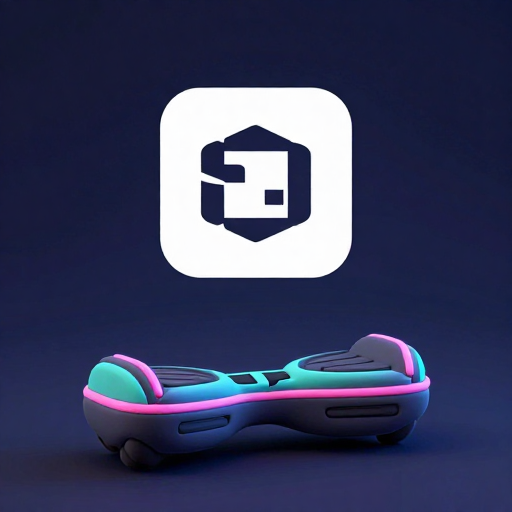
HoverCart3D: the same race, with the cart off the ground
HoverCart3D is the other kart night. The lobby, the lap count, the tracks, and the phone controls match RacingCart3D. The cart does not. It floats, it bobs with speed, and the road is cut as a trench with tall side walls instead of a low curb. Pick this one when the group has already done the wheeled race and wants the same competition to feel different in the hands, or when a beginner needs the walls to forgive a bad lean.
1–4 players
How to play
1The carts float
One to four hover carts race three laps on a closed track.
First to finish the third lap wins.
Alone, it is a time trial, with no computer driver.
- LR
2Lean to steer
Tilt the phone left or right and hold the lean to hold the turn.
Recenter if straight no longer feels straight.
Gas and brake are phone buttons. On a computer, Player with own screen uses arrow keys or WASD, and Space brakes.
3Walls keep you on the ribbon
Tall walls run along both edges of the track.
Brush one and the cart is pushed back toward the asphalt.
You still have to steer. The walls are not a rail.
4Hills, with a soft bob
The road rises and falls.
The cart floats a little above the surface and bobs as the speed changes.
Look ahead on the TV. The phone does not show the corner.
5Coins along the float
Coins sit wide of the racing line, so a wobbly cart can still collect them.
Each cart has its own count. A coin comes back next lap.
The winner is still the first cart to finish, not the richest.
6Track, color, rematch
Choose Oval, Kidney, Chicane, Hairpin, or Island, and claim a color before the lights.
After the race, a 20-second vote can run it again.
A yes majority restarts. Anything else returns to the lobby.
What is actually different
The vehicle is a hover cart, scaled a bit smaller in the scene than the wheeled kart, with a driver who bobs above it. As speed rises the body lifts and rocks on a slow sine wave rather than rumbling on tires. That motion is cosmetic, and it still changes how you read the line: the nose is less planted, so a late apex looks later. The track mesh builds walls about a scene-meter tall and a little over a tenth of a meter thick along both edges of the ribbon. RacingCart3D’s edge is a curb a few centimeters above the road. Here, leaving the asphalt means meeting a wall.
The driving model underneath is the same arcade family: a speed cap, acceleration while you hold the button, braking, and a scrub when you push into the boundary. Do not expect a different gear ratio. Expect a different mistake. On the wheeled kart, a wide line costs time in the grass-side curb. On this cart, a wide line spends the wall and keeps more of your direction, which is why beginners last longer here and experts sometimes prefer the curb, where a clean line is the only line.
What did not change
One to four humans, no computer drivers. A solo start is three laps by yourself. The host picks Oval, Kidney, Chicane, Hairpin, or Island, or accepts the track implied by the room code. Colors are claimed in the lobby from the same eight neon paints, with a swap request if two people want one. The phone rotates to landscape. Lean to steer, hold to accelerate, tap the brake, and hit Recenter if the sofa shifted your idea of straight. About ten seconds of ready time, a 3–2–1, then racing. Wrong way is flagged on the phone and on the TV. It does not auto-correct.
Three laps end the heat. Twenty seconds of voting follow. A strict majority must say yes or the room returns to the lobby. With four people that is three yes votes. A tie is not enough. The Main screen is required. Phones do not become a private copy of the world.
When to choose it over the wheeled kart
Choose HoverCart3D for a mixed group. The walls keep a new driver on the ribbon while they learn that lean is steering and not a suggestion. Choose RacingCart3D when everyone already finished a heat and wants the curb to punish a lazy exit. The tracks are the same shapes, so a line you learned on Oval still applies. The punishment for missing it does not.
Host on a machine that can draw the world. A laptop into the TV is the reliable choice. The hover meshes and the wall geometry are not free, and a countdown you cannot see is a bad start. Mute lives on the phone if the room is already loud.
Notes that matter more because you bob
Both races share a rematch button and a lobby. You can switch games between heats by leaving the room and making a new one. You cannot turn a hover cart into a wheeled kart mid-lap.
- Watch the TV, not the phone, for the apex. The bob makes the horizon move. The phone is only the wheel.
- Use the wall as a teacher once, then stop using it as a brake. Scraping the trench looks fine and still scrubs speed.
- Recenter on the ready screen while the phone is in the pose you will actually hold.
- Hairpin’s wall will catch a no-brake entry and point you the wrong way. The banner is telling the truth.
- If the wheeled race felt slippery, this is the rematch, not a different sport. Same three laps, same vote.
FAQ
How is this different from RacingCart3D?
- The cart floats and bobs, and the track has tall side walls instead of a low curb. Laps, tracks, colors, tilt steering, and the rematch vote are the same. There are still no computer drivers.
Will the walls keep me on the track?
- They stop you leaving the ribbon. Pushing into them scrubs speed, the same way a curb does on the wheeled kart. They are a guardrail, not a speed boost.
Can one person play?
- Yes. One to four players. Alone, you run three laps with no rival kart. It is a time trial.
How does steering work?
- Landscape phone, lean left and right, accelerate and brake buttons, Recenter if straight drifts. Allow motion access when the browser asks. A phone without a gyroscope falls back to the buttons.
Do we need a television?
- You need one shared Main screen that can draw the race. Phones are the wheels. A laptop plugged into the TV is a good host if the TV’s own browser is slow.