Quick start guide
Open CastPlayTV on your TV.
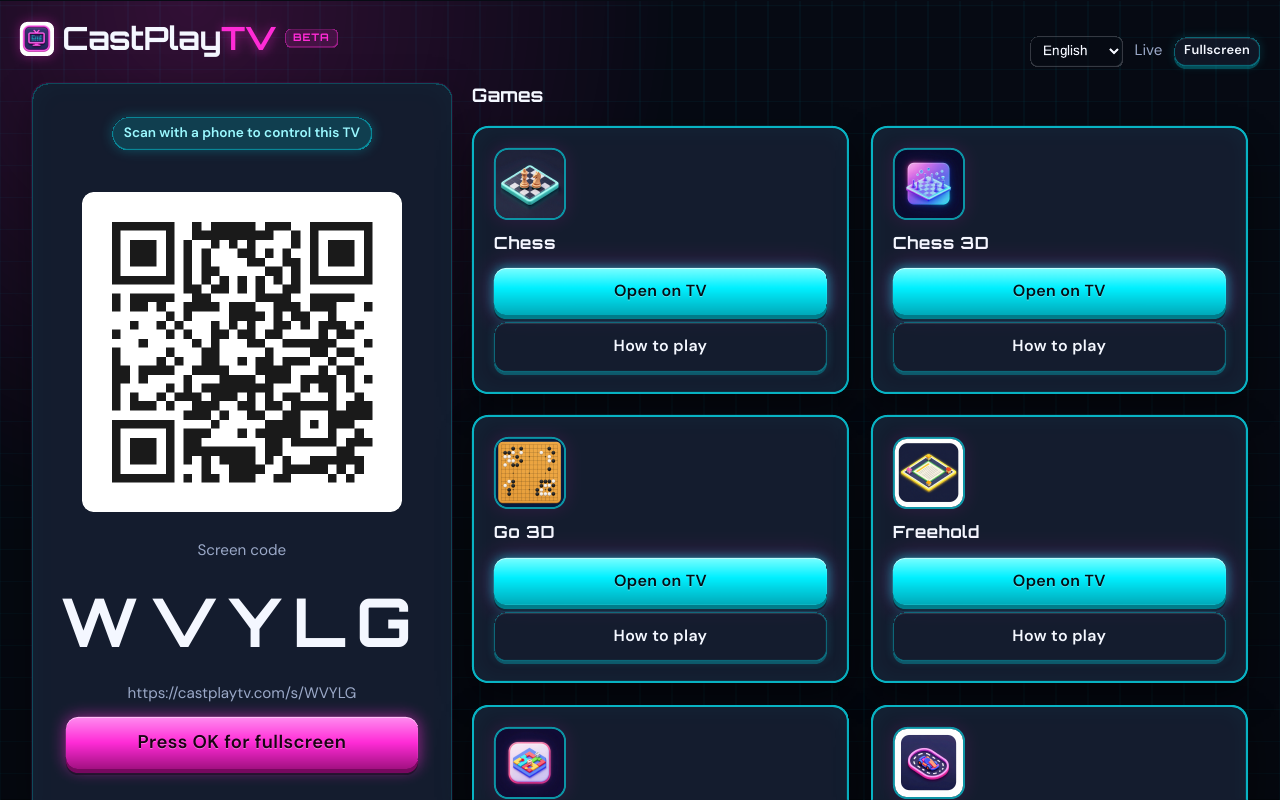
Launch the web browser on your Smart TV and go to castplaytv.com. Choose Main screen so the TV becomes the shared board for everyone in the room.
Create a room and show the QR code.
The TV shows one screen code for the night. Leave that QR up. Guests do not need an account. The phone that scans becomes the remote and can open a game from the couch.
Scan and play.
Point a smartphone camera at the QR code. The phone joins as the TV remote, then sits down with a name once a game is on screen. When that game ends, the phone stays paired, so the next title does not need a new scan.
Why a Smart TV browser works for game night
Most living-room game nights fail on setup friction: consoles, packs, logins, and “which HDMI input?” CastPlayTV skips that stack. If the TV can open a modern browser and the phones are on the same network (or you share a room code over the internet), you already have a multiplayer hub.
The Main screen role is designed for a couch audience. Spectators can watch the shared board without joining as a seat. Players keep private information — tile racks, drawing pads, or controls — on their phones so nobody has to huddle around one remote.
You do not need a streaming-stick app, a paid party pack, or matching console accounts. That is the practical difference versus many traditional TV party platforms: the browser is the app.
Supported TV browsers and living-room devices
CastPlayTV runs in the built-in browser on most living-room screens. Performance varies by chipset and browser age, but the flow is the same everywhere: Main screen on the TV, phones as controllers.
- LG webOS — open the TV browser and navigate to castplaytv.com
- Samsung Tizen — use the Smart Hub browser; see our Samsung-specific guide for tips
- Android TV / Google TV — Chrome or the system browser works well on many boxes
- Chromecast with Google TV — cast or open the browser on the stick
- Apple TV — Safari or a browser app if available on your tvOS version
- Laptop or PC HDMI to the TV — often the smoothest “TV” if the built-in browser is old
Same-room Wi‑Fi tips that actually matter
For QR join and low latency, put the TV and phones on the same Wi‑Fi network when everyone is in one room. Guest networks sometimes isolate devices; if join fails, move phones onto the primary LAN.
If the TV browser cannot keep a stable WebSocket connection, try a wired Ethernet adapter for the TV or host the Main screen on a laptop plugged into the TV. The phones can still join wirelessly.
Live camera QR scanning needs HTTPS (CastPlayTV production is HTTPS). If the camera cannot open, use the “take photo of QR” fallback or type the code on the Player path. The same box accepts the TV screen code or a game room code.
Featured TV board and party games
Host free games on your Smart TV and let everyone join from their phones. Start with a drawing or word game for mixed ages, or a classic board title when you want a longer session.
WordGrid
A 15×15 tile crossword for 2–4. The grid is shared. Each rack stays on that player’s phone.
2–4 players
DoodleDash
Draw on a phone, guess out loud. Two to eight players, English or Swedish words, 75 seconds a turn.
2–8 players
Freehold
An independent property-trading game for 2–8 players. The board stays on the TV. Deeds and bids stay on the phones.
2–8 players
Chess
Two players and a shared board. Standard chess rules, colors shuffled when the game starts.
2 players
Cast Dash
A 30-tile party race for 2–6, with power-up cards, trivia, and a five-second tap contest.
2–6 players
Playing online from different locations
CastPlayTV is built for the living room — one Main screen on the TV, phones as controllers. When friends are not in the same place, several titles also support Player with own screen: the shared board and your controls run on your phone, tablet, or computer, so you do not need a separate TV and phone.
Chess, Chess 3D, Go 3D, Freehold, WordGrid, DoodleDash, and QuickCraft support own-screen online play. Open the Player path, choose that option (or create an online room from Play), and share the room code over chat. Cast Dash and Racing Cart 3D stay on the Main screen + phone controller model.
For a deeper walkthrough of remote play, read our guide to Player with own screen.
What to play first
New hosts often succeed with a short party game before a long board game. DoodleDash and WordGrid teach the QR join flow quickly. Freehold and Chess work well once everyone is comfortable joining rooms.
Browse the full catalog for player counts and how-to pages for every title. Pair this overview with our host checklist if you are planning a full game night.
Device-specific quirks matter more than people expect. If you are on Samsung, LG, or Android TV / Chromecast, read the matching guide before guests arrive so you already know whether to host in the TV browser or fall back to a laptop on HDMI.
When someone cannot scan, fall back to the room code immediately — do not let the night stall on camera permissions. The QR troubleshooting guide walks through guest Wi‑Fi isolation, HTTPS, and photo-of-QR fallbacks in order.
FAQ
Do players need to download an app?
No. Guests join in their mobile browser by scanning the QR code on the TV — no app store download required.
How many players can join on TV?
Up to 8 players depending on the game. Each title lists its player range on the game page.
Can we play if we are not in the same room?
Yes. Share the room code over the internet. For Chess, Chess 3D, Go 3D, Freehold, WordGrid, DoodleDash, and QuickCraft, remote players can use Player with own screen so the board and controls run on their phone, tablet, or computer.
What if the TV browser is too slow?
Host the Main screen on a laptop or PC connected to the TV by HDMI. Phones still join as controllers. This is often the most reliable setup on older Smart TVs.
More guides
Browse the guides library, or jump to hosting a TV game night, QR join troubleshooting, or Player with own screen.